
Chat with AI Directly in WeChat? OpenClaw ClawBot Integration Tutorial
WeChat has officially opened its plugin mechanism. Use WeChat's ClawBot to connect and chat with OpenClaw. This article provides the complete installation process and solutions to common issues.
WeChat has officially opened its plugin mechanism, allowing you to directly integrate OpenClaw’s ClawBot into WeChat—no third-party cracking required, no worry about account bans. Just update to v8.0.70 and you’re good to go.
This article documents the complete process I personally tested and got working, including the deadlocks I encountered and how I got around them.
Prerequisite: WeChat Version Must Be v8.0.70 or Higher
The plugin entry is a feature only available in newer versions. If your version isn’t high enough, you won’t find it.
After updating, manually close WeChat and reopen it—not just switching to the background, but fully quitting and restarting. At first I didn’t restart and spent ages searching the settings for the plugin entry. Once I restarted, it appeared.
Method 1: Official Process (Takes 5 Minutes if Smooth)
Step 1: Find Your Exclusive Installation Command
Follow this path in WeChat on your phone:
“Me” → “Settings” → “Plugins” → Find ClawBot → “Details”
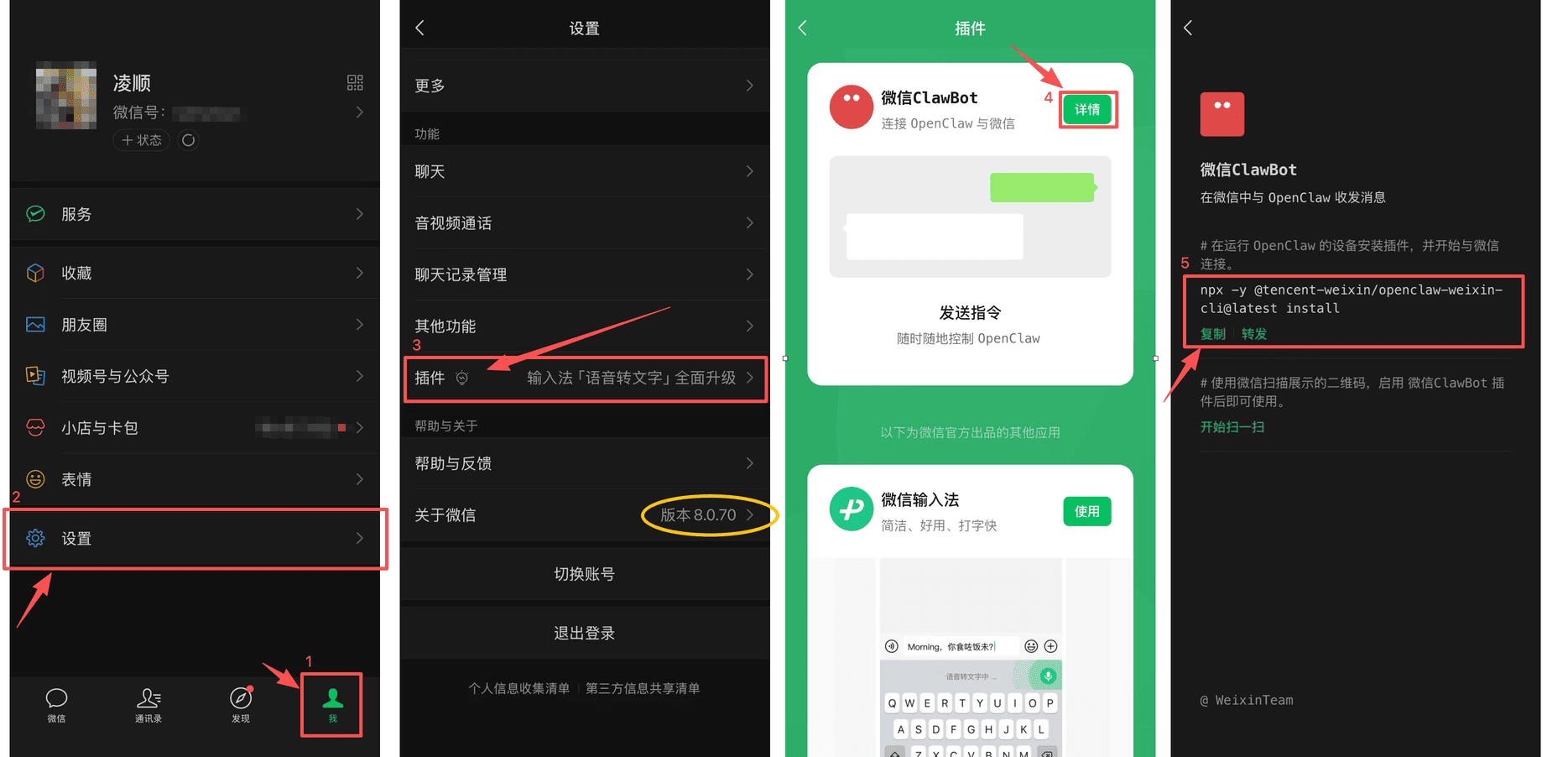
You’ll see an exclusive command here, in this format:
npx -y @tencent-weixin/openclaw-weixin-cli@latest installThe command generated for each account is slightly different. Copy the one shown on your own page.
Step 2: Execute the Command on the Device Running OpenClaw
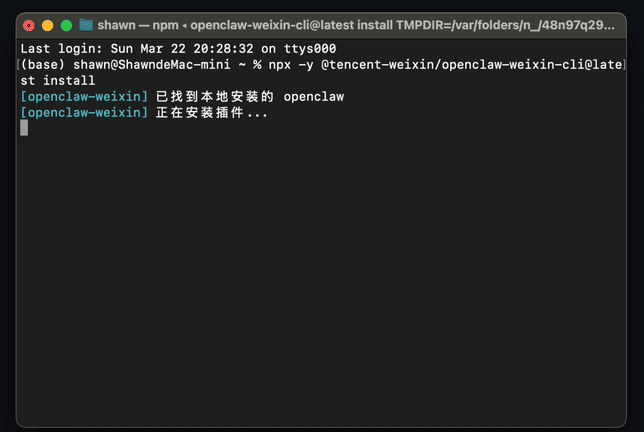
Open your terminal, paste the command, press Enter, and wait for the installation to complete.
Step 3: Scan QR Code to Pair
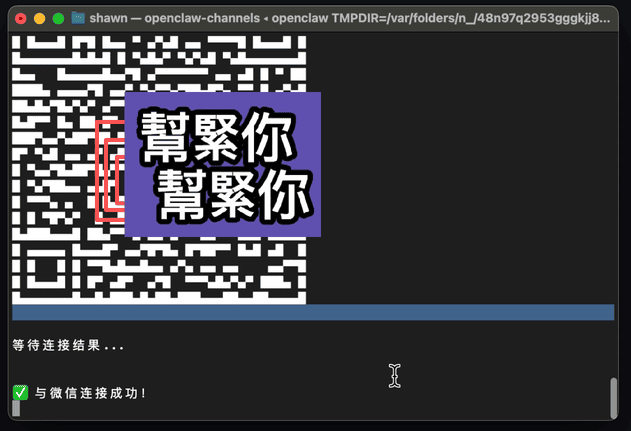
After installation completes, a QR code will appear in the terminal. Scan it with WeChat, then confirm authorization on your phone.
Step 4: Go Back to WeChat and Send a Message to ClawBot
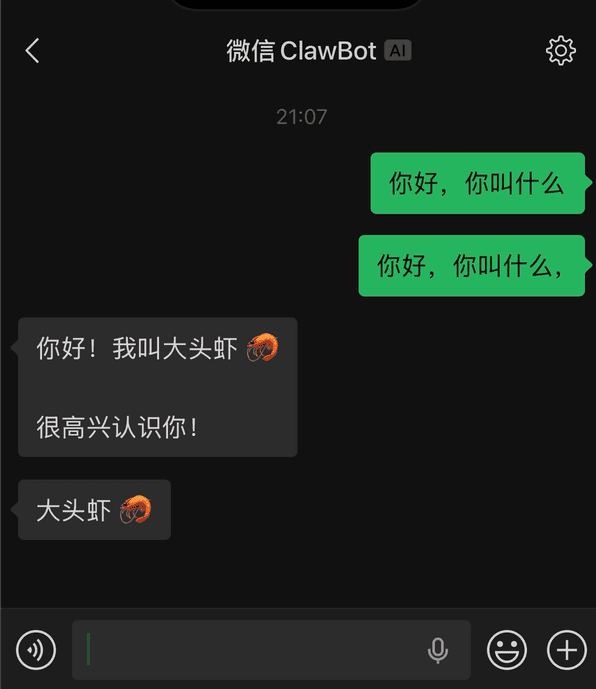
After successful pairing, ClawBot will appear in WeChat. You can start sending messages right away.
Method 2: Manual Solution When Installation Gets Stuck
If your terminal stays stuck at “Installing plugin…” for more than two or three minutes without any activity—don’t wait any longer. The process is deadlocked. Press Ctrl+C to cancel or simply close the terminal window and switch to the manual process below. This is what I used to get it working myself.
Step 1: Stop OpenClaw Gateway
openclaw gateway stopStep 2: Confirm Process Has Fully Exited
pkill -f openclawStep 3: Manually Install Plugin via npm
openclaw plugins install "@tencent-weixin/openclaw-weixin"Step 4: Enable the Plugin
openclaw config set plugins.entries.openclaw-weixin.enabled trueStep 5: Trigger QR Code Binding (Critical Step)
openclaw channels login --channel openclaw-weixinTerminal displays QR code → Scan with WeChat → Confirm authorization on phone → When you see “Successfully connected to WeChat”, binding is complete.
Step 6: Restart Gateway
This step is easy to skip, but without restarting, ClawBot won’t respond to messages.
openclaw gateway restartVerify Success
Go back to WeChat, find ClawBot, and send any message. If you get a reply, everything is working.
Common Issues Quick Reference
| Problem | Solution |
|---|---|
| Installation command stuck at “Installing plugin…” | Stop waiting, go directly to Method 2 |
| No response from phone after scanning QR code | Fully close WeChat and reopen, then retry scanning |
| ClawBot doesn’t respond after Gateway restart | Check if the plugin enabled config from Step 4 was saved |
The above process has been tested on macOS. Windows command line operations are the same—just be aware of path separator differences.