Before You Buy: ESP32-S3 Suffixes, Flash, PSRAM and Ballpark Prices in CNY (with a C3 Comparison)
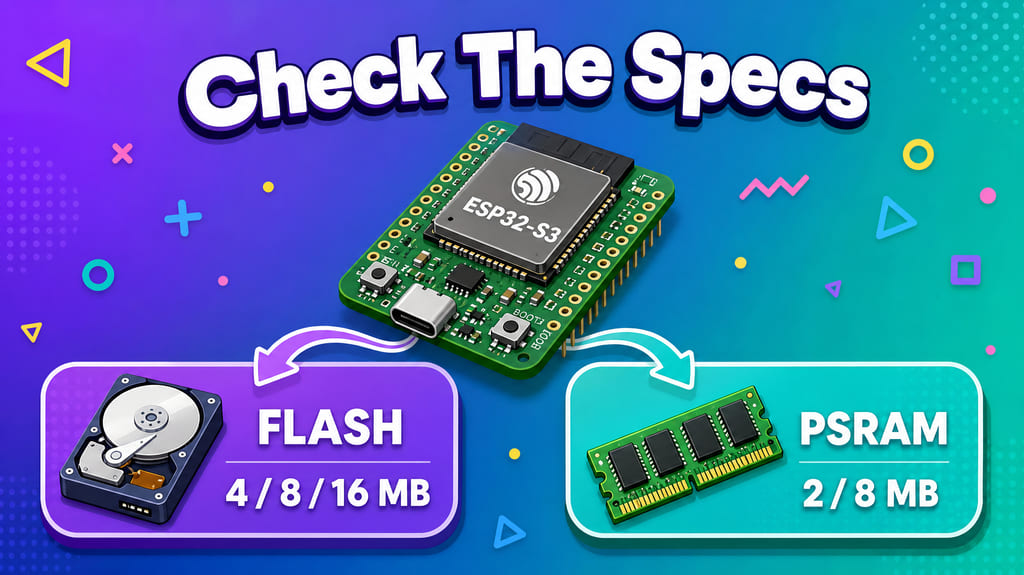
Suffixes like N4, N8R2 and N16R8 say exactly two things: the number after N is Flash, the number after R is PSRAM. This guide puts five common boards' capacities and ballpark prices (in Chinese yuan) on one table, and explains how to choose.
Cheat sheet. All five are ready-to-use boards with a USB-C plug. Capacities are nominal; prices are ballpark figures in Chinese yuan (CNY), only good for comparing orders of magnitude.
00 Three things to remember first
- The suffix only describes capacity.
N16R8= 16 MB Flash + 8 MB PSRAM.Nis Flash,Ris PSRAM, the numbers are MB. It has nothing to do with “generation” or “trim level”. - Flash is not RAM. Flash is the disk: it survives power loss and holds firmware and resources. The only things you can
malloc()from are on-chip SRAM (512 KB on the S3) plus PSRAM. So no amount of Flash can save you from “no PSRAM”. - Same capacity ≠ same price. Two boards at roughly ¥26 and ¥62 have identical Flash and PSRAM; the difference pays for RF design, quality control and documentation (section 04).
The five boards here: four ESP32-S3 — S3 SuperMini FH4R2, S3 N16R8 MINI, XIAO S3 / Sense, XIAO S3 Plus; one ESP32-C3 — C3 SuperMini, a cross-architecture control, not a same-tier substitute. The S3 / C3 in front of a model name tells you which chip family it belongs to — don’t confuse it with the capacity suffix that follows.
01 Three layers, three kinds of space
An “ESP32-S3” can mean three different things:
- Chip: ESP32-S3FH4R2, ESP32-S3R8, ESP32-C3FN4 — bare QFN dies; Flash and PSRAM can be packaged inside. Once you have one you still need to design your own PCB, RF matching and antenna.
- Module: like WROOM-1 — chip + on-module Flash + crystal + shield can + PCB antenna + RF certification. A name containing WROOM usually means this layer.
- Dev board: adds USB-C, LDO, buttons, pin headers and an antenna — plug in and go. All five boards in this article live at this layer, no bare modules — only same-layer comparisons make price and GPIO counts meaningful.
Figure 1 · One “ESP32-S3” can mean three very different things; the suffix describes capacity, not model tier.
Don’t mix up the three kinds of space:
- Flash = the disk. Holds firmware, font libraries and web assets; survives power loss. Quad SPI, rated up to 80 MHz. It is not RAM.
- PSRAM = the plug-in memory stick. Holds big arrays, framebuffers, TLS and JSON buffers; cleared on power loss, slower than on-chip RAM; and briefly inaccessible while Flash is being erased/written.
- On-chip SRAM = your pocket. Fastest and smallest. All four S3 boards have 512 KB (plus 384 KB ROM and 16 KB RTC SRAM); the C3 has 400 KB (16 KB of which serves as cache) + 384 KB ROM + 8 KB RTC SRAM.
So when a product page says “built-in 8 MB PSRAM & 8 MB Flash”: the PSRAM is inside the chip package, while the Flash is a separate Quad SPI die soldered onto the board. No matter how big the Flash is, it is not space you can malloc().
The three most commonly misread items on a spec page:
| Common wording | Correct reading | How to verify yourself |
|---|---|---|
| “512 KB SRAM” printed on an S3 board | S3 has 512 KB; ESP32-C3 has 400 KB | Check the CPU: Xtensa LX7 dual-core 240 MHz is S3; RISC-V single-core 160 MHz is C3 |
| “Built-in 8 MB Flash” | Usually onboard, not inside the chip package | Look up the full part number; only an F means in-package Flash |
| “WROOM in the name means it’s a module” | It may just be a reused capacity code | Check whether there is a shielded module can on the board; bare-die designs expose the main chip |
02 Decoding the suffix: nine codes form a 3×3 grid
Nine ordering codes look like nine different things, but they’re really a 3×3 table:
N= onboard Flash:N44 MB,N88 MB,N1616 MB. The die sits on the module PCB over Quad SPI and survives power loss.R= PSRAM packaged inside the chip:R22 MB (Quad, 4 wires),R88 MB (Octal, 8 wires). NoRmeans no PSRAM.- 3 Flash tiers × 3 PSRAM tiers = 9 models.
The easiest mistake when comparing prices: N8R8 and N16R8 have the same amount of PSRAM; only the Flash differs.
Figure 2 · The nine models are exactly these nine cells — there is no tenth; the biggest-capacity cell (
N16R8) ironically has the lowest temperature limit.
Beyond the nine cells, distributor pages often mix in a few more variants:
| Variant | Relation to the nine combos | Flash | PSRAM | Ambient temp |
|---|---|---|---|---|
-1U (e.g. 1U-N16R8) |
All nine cells hold; only the PCB antenna is swapped for a U.FL connector | same | same | same |
H4 |
High-temperature part with no PSRAM | 4 MB Quad | none | −40~105 °C |
N16R16VA |
Extra-large capacity outside the grid, SPI at 1.8 V | 16 MB Quad | 16 MB Octal | −40~65 °C |
WROOM-2 N16R8V / N32R8V / N32R16V |
A different product line; Flash also runs 8-wire | 16 / 32 MB Octal | 8 / 16 MB Octal | −40~65 °C |
1U differs from the non-U version only in the antenna: with U you get a U.FL connector for an external antenna at 18.0×19.2×3.2 mm; without U you get a PCB onboard antenna at 18.0×25.5×3.1 mm. If you need to enclose the unit and route the antenna out, pick the former. The capacity table is the same, but the keep-out requirements and the whole-unit certification path differ.
Two easy traps:
R8only takes PSRAM to 8 wires; Flash is still 4-wire Quad SPI. The “Octal” in the part name refers to PSRAM; 8-wire Flash belongs to WROOM-2.- There is no
N6in the official codes. WROOM-1 Flash only comes in 4 / 8 / 16 MB. If you meet an off-table suffix, verify against the full part number in the datasheet — don’t guess from the name.
Ranking everything against the N16R8 baseline:
| Combo | Flash | PSRAM | Difference vs N16R8 |
Runtime memory | Ambient temp limit |
|---|---|---|---|---|---|
N16R8 |
16 MB | 8 MB Octal | baseline | 8.5 MB | 65 °C |
N8R8 |
8 MB | 8 MB Octal | 8 MB less Flash | 8.5 MB | 65 °C |
N4R8 |
4 MB | 8 MB Octal | 12 MB less Flash | 8.5 MB | 65 °C |
N16R2 |
16 MB | 2 MB Quad | 6 MB less PSRAM, 8-wire down to 4-wire | 2.5 MB | 85 °C |
N8R2 |
8 MB | 2 MB Quad | 6 MB less PSRAM; 8 MB less Flash | 2.5 MB | 85 °C |
N4R2 |
4 MB | 2 MB Quad | 6 MB less PSRAM; 12 MB less Flash | 2.5 MB | 85 °C |
N16 |
16 MB | none | 8 MB less PSRAM | 0.5 MB | 85 °C |
N8 |
8 MB | none | 8 MB less PSRAM; 8 MB less Flash | 0.5 MB | 85 °C |
N4 |
4 MB | none | 8 MB less PSRAM; 12 MB less Flash | 0.5 MB | 85 °C |
Three takeaways:
- PSRAM is the big jump. 0 → 2 → 8 MB means runtime memory of 0.5 / 2.5 / 8.5 MB.
N16toN16R2is a 5× increase, andN16R2toN16R8another 3.4×; going Quad to Octal also takes the data lines from 4 to 8. - Flash grows in equal steps. 4 / 8 / 16 MB, with zero effect on runtime memory — bigger Flash just means more room for firmware, fonts and web assets. So
N16R2vsN8R8isn’t about which is “bigger”; one has more disk, the other more memory. - Capacity and limits move in opposite directions. The R8 row has the most capacity yet the lowest temperature limit (65 °C), and it eats GPIO33~37; parts without PSRAM reach 85 °C with the fullest pinout. If you want both 8 MB PSRAM and 85 °C, these nine cells can’t give it — either drop to R2, or enable ECC on R8 (losing another 1/16 of capacity).
The five boards map neatly onto the table:
S3 N16R8 MINI,XIAO S3 Plus→ equivalent toN16R8XIAO S3 / Sense→ equivalent toN8R8S3 SuperMini FH4R2→ equivalent toN4R2, except its Flash is also inside the chip package (theFin the part number), and the die is high-temperature grade (theH)C3 SuperMini→ off the table: ESP32-C3 is a different architecture line with 4 MB Flash and no PSRAM — the chip doesn’t support it at all
03 Capacity panorama
Each of the five boards takes one cell: N16R8, N8R8, N4R2, plus the off-table C3. The four S3 boards (Xtensa LX7 dual-core 240 MHz, with FPU and vector instructions); the one C3 (RISC-V single-core 160 MHz, no PSRAM, and the chip doesn’t support it). The last three S3 boards all use the same ESP32-S3R8 die — they differ only in whether the onboard Flash is 8 MB or 16 MB.
Figure 3 · Top half: the five boards; bottom half: the nine module combos — bar lengths line up one to one. Totals differ up to 6×, but the blue segment is disk, not memory.
“Runtime memory” (on-chip SRAM + PSRAM) is what your program can actually allocate, and the bar length is set by PSRAM alone:
Figure 4 · What you can actually
malloc()is runtime memory: four tiers — 0.4 / 0.5 / 2.5 / 8.5 MB — up to ~21× apart. Models without anRshrink to that tiny slice of on-chip SRAM.
A sense of scale: one 320×240 RGB565 frame is about 150 KB — 2 MB PSRAM holds ~13 frames, 8 MB holds ~53. Ten seconds of 16 kHz / 16-bit mono audio is about 320 KB — 2 MB buffers ~60 s, 8 MB buffers ~250 s. “Big enough Flash” can never replace “enough memory”.
| Dimension | S3 SuperMini FH4R2 | S3 N16R8 MINI | XIAO S3 / Sense | XIAO S3 Plus | C3 SuperMini |
|---|---|---|---|---|---|
| Series | ESP32-S3 | ESP32-S3 | ESP32-S3 | ESP32-S3 | ESP32-C3 (control) |
| Main chip | ESP32-S3FH4R2 | ESP32-S3R8 | ESP32-S3R8 | ESP32-S3R8 | ESP32-C3FN4 |
| CPU | dual-core 240 MHz | dual-core 240 MHz | dual-core 240 MHz | dual-core 240 MHz | single-core 160 MHz |
| Flash | 4 MB (in-package) | 16 MB (onboard) | 8 MB (onboard) | 16 MB (onboard) | 4 MB (in-package) |
| PSRAM | 2 MB Quad | 8 MB Octal | 8 MB Octal | 8 MB Octal | none; not supported |
| On-chip RAM | 512 KB SRAM | 512 KB SRAM | 512 KB SRAM | 512 KB SRAM | 400 KB SRAM |
| Runtime memory | 2.5 MB | 8.5 MB | 8.5 MB | 8.5 MB | 0.4 MB |
| Total storage | 6 MB | 24 MB | 16 MB | 24 MB | 4 MB |
| Usable GPIO | ~11 | ~20 | 11 (Sense +2) | 18 | 11 |
| Operating temp | −40~85 °C | −40~65 °C | −20~65 °C | −20~65 °C | −40~85 °C |
| Ballpark price | ~¥22 | ~¥26 | ~¥54 | ~¥62 | ~¥12 |
All four S3 boards have identical on-chip RAM; only Flash and PSRAM differ. The C3 is another architecture line entirely: no USB OTG, no LCD/camera interface, no vector instructions — and no way to add PSRAM by hanging more Flash off the chip. It’s included to show the architectural contrast, not as a substitute.
04 Adding prices
Price basis: ~¥12 / ¥22 / ¥26 / ¥54 / ¥62 (Chinese yuan) come from public retail channels as of 2026-11, rounded with margin to cover tax, shipping, promotions and bundle differences. They are neither official pricing nor live quotes — only good for comparing orders of magnitude. Different markets and different times can differ severalfold; always check your local actual price.
Figure 5 · Two boards with identical capacity and configuration differ by about ¥36; that gap comes from outside the capacity table, and the chart can’t tell you which is better.
The most striking case: the ~¥26 S3 N16R8 MINI and the ~¥62 XIAO S3 Plus have identical Flash, PSRAM, runtime memory and firmware configuration, yet differ by ~¥36 (58%). Per unit of runtime memory that’s ~¥3.06/MB vs ~¥7.29/MB. The extra money buys things outside the capacity table.
Three more observations:
- Unit price and absolute price often point in opposite directions. The C3 is cheapest in absolute terms, but with no PSRAM its 0.4 MB works out to ~¥30/MB — ten times the 8 MB Octal tier. The C3 is built for low power and tiny size in the first place.
- Trade-offs exist within a series too. The ~¥54 XIAO standard / Sense is ~¥8 cheaper than the Plus, with half the Flash and 7 fewer GPIOs; but the Sense adds a camera, microphone and SD card, while the standard version is smaller and has a U.FL connector.
- The cross-architecture jump is the biggest. C3 → S3 SuperMini FH4R2 costs ~¥10 more and takes runtime memory from 0.4 to 2.5 MB (6.25×), while switching to a dual-core 240 MHz chip with vector instructions and USB OTG. That’s not an upgrade — it’s a different architecture.
Figure 6 · Three points on the same 8.5 MB line: price differences don’t come from storage. What’s invisible on the chart — RF, QC and documentation — is often what the premium pays for.
As a table (the last column is just price per unit of capacity):
| Model | Ballpark price | Total storage | Runtime memory | Price per capacity (~¥ / runtime MB) | Relative price |
|---|---|---|---|---|---|
| C3 SuperMini | ~¥12 | 4 MB | 0.4 MB | ~¥30.00 | 1.00× |
| S3 SuperMini FH4R2 | ~¥22 | 6 MB | 2.5 MB | ~¥8.80 | 1.83× |
| S3 N16R8 MINI | ~¥26 | 24 MB | 8.5 MB | ~¥3.06 | 2.17× |
| XIAO S3 / Sense | ~¥54 | 16 MB | 8.5 MB | ~¥6.35 | 4.50× |
| XIAO S3 Plus | ~¥62 | 24 MB | 8.5 MB | ~¥7.29 | 5.17× |
What the premium buys
Prices are comparable across boards; quality is not. The same 16 MB Flash + 8 MB Octal PSRAM combo can still differ in:
- RF and antenna: matching, keep-out and tuning decide real WiFi / BLE performance, and whether there’s a U.FL connector is another matter. The common complaint about low-cost boards — weak signal, dropping through walls — never shows on a spec sheet; you can only judge by design, certification and measured RSSI.
- Quality control: power and USB protection, soldering, PCB material, batch variation — all affect long-term stability and whether you hit inexplicable problems while debugging.
- Documentation and maintenance: schematics, pinouts, example firmware, community support, supply continuity. Brand boards like XIAO usually cost more exactly here — not because their Flash or PSRAM is more expensive.
- Compliance: bare-die designs can’t rely on a module’s RF certification; board-level RF compliance must be verified separately.
“You get what you pay for” mostly holds — but don’t use it in reverse. Expensive doesn’t mean better at everything; brand premium, channel markup and bundle differences are all real. White-label boards can differ severalfold across markets, while brand boards have largely uniform global pricing — redo the comparison in your own market.
A safer order of operations: first filter boards that “can run” by capacity, PSRAM mode and firmware config; then compare RF, stability, documentation and supply; only then look at price.
05 Turning capacity into configuration
Capacities on a spec sheet don’t turn into working firmware by themselves. Five switches, all calculable before you buy:
- Match Flash size to the physical part.
CONFIG_ESPTOOLPY_FLASHSIZE_4MB / 8MB / 16MB(or Flash Size in Arduino) must match the onboard die; set it too big and OTA or filesystem init will step onto addresses that don’t exist. - Match PSRAM mode to the wiring. In-package 2 MB Quad uses
CONFIG_SPIRAM_MODE_QUAD; 8 MB Octal usesCONFIG_SPIRAM_MODE_OCT; in Arduino these areQSPI PSRAM/OPI PSRAM. Get this wrong and the board won’t run slowly — it aborts at boot. - Do the partition math first. Flash is not firmware-usable space: the partition table, nvs, otadata and phy_init take a slice first, and the rest is split between app and data partitions. Dual OTA needs an equally sized slot for the next version — roughly
app × 2 + data partition + fixed overhead. Firmware with a protocol stack and a graphics library commonly runs 1~2 MB; double it for dual OTA and you’re near 4 MB, and reserving 1 MB for fonts and images will overflow — this is where 4 MB boards fail most often. Add up your firmware’s real size first; if it doesn’t fit, go 16 MB or fall back to single OTA. - Budget your PSRAM buffers. Framebuffers, TLS handshake buffers, JSON and image decode heaps all live in PSRAM; estimate “sum of peak concurrently resident buffers × 1.3” and check it against the 2 MB / 8 MB tiers. DMA buffers, task stacks and static variables can’t go to PSRAM by default — that takes explicit configuration.
- Switch target across architectures. C3 is RISC-V, S3 is Xtensa:
CONFIG_IDF_TARGET, the toolchain and SDK config all change as a set; everyCONFIG_SPIRAM_*option is a no-op on C3 — just leave them out.
A typical 16 MB + Octal configuration looks like this:
CONFIG_IDF_TARGET="esp32s3"
CONFIG_ESPTOOLPY_FLASHSIZE_16MB=y
CONFIG_SPIRAM=y
CONFIG_SPIRAM_MODE_OCT=y
CONFIG_SPIRAM_SPEED_80M=y| Capacity tier | What to set | Practical effect |
|---|---|---|
| 16 MB Flash + 8 MB Octal | FLASHSIZE_16MB + MODE_OCT + SPEED_80M |
Dual OTA and data partitions fit comfortably |
| 8 MB Flash + 8 MB Octal | Same, with Flash size set to 8MB |
Dual OTA still works, but the data partition shrinks noticeably — budget fonts and images |
| 4 MB Flash + 2 MB Quad | FLASHSIZE_4MB + MODE_QUAD + 4 MB partition table |
Dual OTA usually doesn’t fit — typically single OTA; recompute PSRAM buffers against 2 MB |
| 4 MB Flash, no PSRAM (C3) | IDF_TARGET=esp32c3 + 4 MB partition table |
All SPIRAM_* options inapplicable; memory budget is on-chip SRAM only |
One-line summary: do three calculations before choosing a board — does the firmware plus resources fit in Flash, do peak buffers fit in PSRAM, and do the config options match the physical parts. Pass all three and the board will work.
06 How to choose, and what to avoid
Work backwards from what your program needs, then pick among the boards that clear the bar — don’t rank by price or spec-sheet numbers:
| What your program actually needs | Minimum tier that works | Why |
|---|---|---|
| Color or grayscale full-screen refresh, multi-layer framebuffers, local fonts and images, audio streaming, or dual OTA plus a filesystem | 16 MB Flash + 8 MB Octal PSRAM | 8.5 MB runtime memory leaves room for both framebuffer and TLS; Flash holds two app copies plus a resource partition |
| Monochrome full-screen refresh, sensor aggregation, single OTA, light JSON | 4 MB Flash + 2 MB Quad PSRAM | 2.5 MB runtime memory is enough, but fonts and images must be small |
| Connectivity reporting only, no UI, power and size first | 4 MB Flash, no PSRAM (C3) | 0.4 MB covers the protocol stack plus small buffers, trading for low power and minimal size |
| Needs camera / microphone / SD card, or constrained by wearable dimensions | 8 MB Flash XIAO standard / Sense | The binding constraints are board-level integration and pin count, not capacity |
One more item not in the table that can veto certain boards outright: wide temperature range. 8 MB Octal PSRAM is rated −40~65 °C; to run at 85 °C you must switch to an in-package Quad part, or enable ECC (losing 1/16 of usable capacity). On this point the S3 SuperMini FH4R2 is actually the more flexible option.
Pitfall checklist:
- 8 MB Octal PSRAM occupies GPIO33~37 — don’t reuse pins the documentation marks as unavailable.
- The
HinFH4R2only means the Flash die is high-temperature grade; it does not mean the whole chip reaches 105 °C — the current datasheet rates −40~85 °C. - Bare-die designs can’t rely on module RF certification; board-level RF compliance needs separate verification for products.
ESP32-C3FN4is marked EOL on Espressif’s site — pick an in-production replacement for new designs. - In-package Flash + PSRAM share one set of SPI lines and the pins are fully occupied — no external storage expansion is possible; if you need custom storage, start from a non-coe-packaged part and lay out your own board.
- Real antenna performance is never on the spec sheet. If connections are unstable or drop through walls, check antenna keep-out and whether there’s a U.FL connector first, then measure RSSI — this kind of feedback is common on some low-cost boards; don’t treat it as a firmware bug and debug in circles.
Costs beyond price
A retail ballpark price is only where hardware starts. Between “a board that lights up” and “a product that runs stably for years” there are four more cost categories, none related to “how many MB of Flash or PSRAM”: hardware engineering (thermal design, power and battery, antenna tuning, whole-unit EMC), software engineering (driver adaptation, sleep/wake, fault recovery, OTA rollback, long-term compatibility), compliance certification (whole-unit EMC / RF, market access), and production & after-sales (yield, batch consistency, spare parts for repairs).
Their magnitude varies wildly by product form, and none of it ever appears on a product page. So this article compares hardware specs at selection time, not the cost structure of a finished product: reading the specs right helps you avoid buying the wrong board; what you still need to invest after the board arrives is decided by the project itself.
Sources and methodology: Espressif ESP32-S3 Series Datasheet v2.2 tables 1-1 / 2-14 / 5-11 / 5-12, ESP32-C3 Series Datasheet, ESP32-S3-WROOM-1 & 1U Datasheet tables 1-1 / 1-2 (nine ordering codes, Flash and PSRAM types, temperature ranges, module dimensions), ESP32-S3-WROOM-2 Datasheet (1.8 V SPI and 32 MB Flash tiers), Seeed Studio XIAO ESP32-S3 series official wiki and product specifications, public vendor materials for the S3 N16R8 MINI board, ESP-IDF Support for External RAM and Arduino-ESP32 board configuration docs. Capacities are nominal; the actually malloc()-able heap is slightly smaller. PSRAM bandwidth, temperature range and GPIO occupancy follow the latest datasheet of each part number. Prices in this article are ballpark figures in Chinese yuan (CNY) from public retail channels as of 2026-11 — see section 04 for the methodology; they are not a quality judgement or purchase advice.
